 Members
 Chrome extension for Substack writers
Lathe for Substack
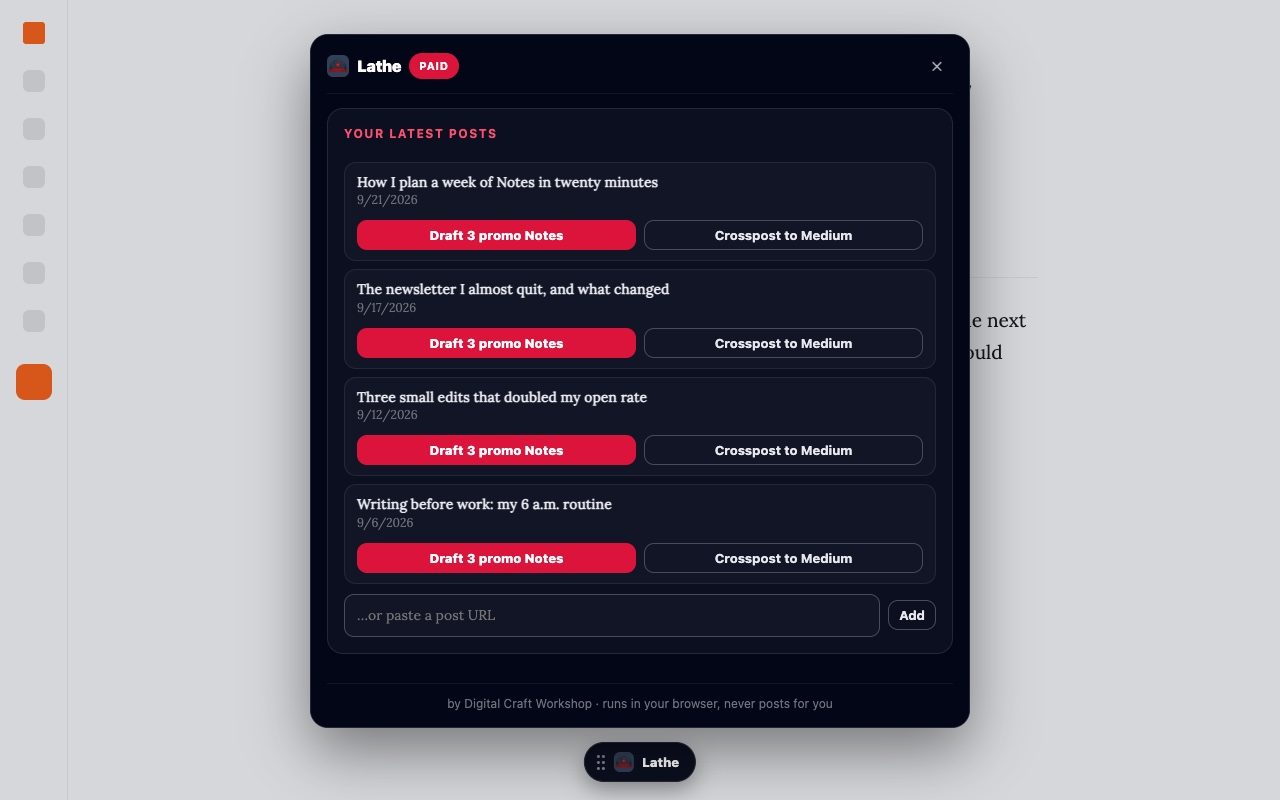
A small toolkit that lives inside Substack. Unread markers in Chat, an AI summary on any post, promo Notes drafted from your own posts, and a heads-up when a weekly boost thread goes live.
Add Lathe from the Chrome Web Store.
Sign in with the email you subscribe with. A free Digital Craft Workshop subscription is enough.
The Lathe button sits at the bottom of every substack.com page. Drag it anywhere.
Only for summaries, Notes and reply drafts. Anthropic or OpenAI, and it stays in your browser.
See which chats are unread
Substack counts unread direct messages, but not publication chats. Lathe marks both: the row turns bold and gets a red dot.
Hover any thread for the ⋯ menu to mark it read or unread, or flag it in one of five colours. Flags follow you to every computer where you are signed in to Chrome.
Free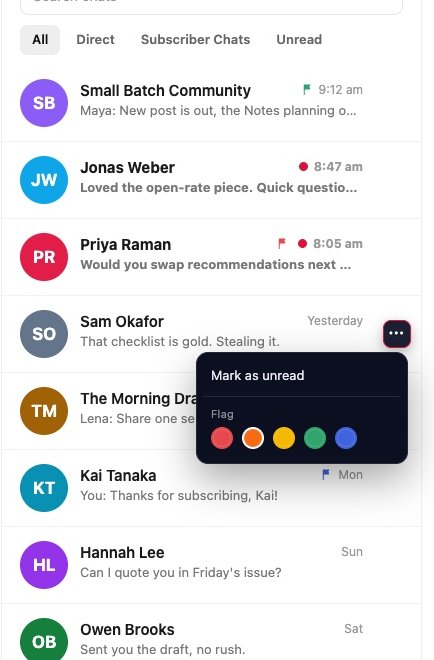
A summary at the top of any post
One click gives you a short, medium or long summary, written by your own AI key. Keep the post's language or pick one of 20.
It works on publication pages and in the substack.com reader, so you can triage a full inbox before you read.
Free · your AI key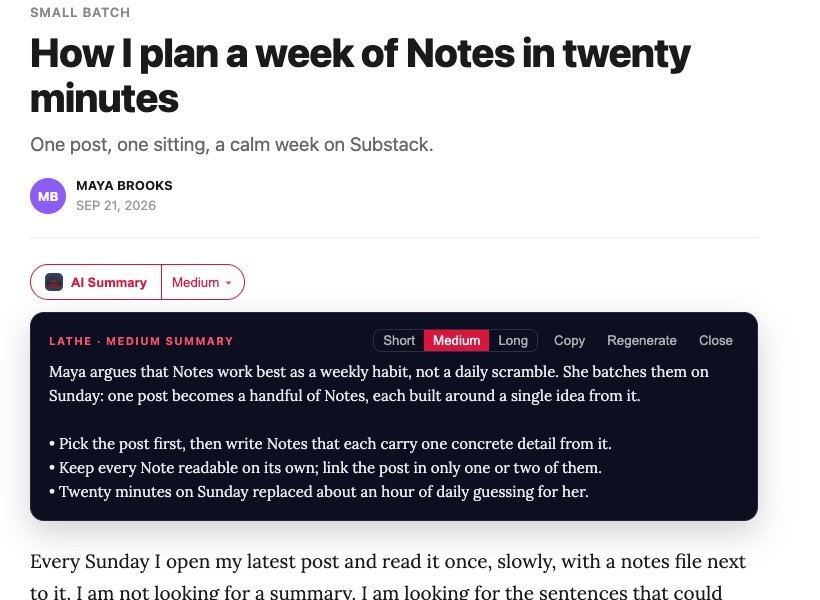
Three Notes from one post
Lathe reads your post and drafts three Notes from different angles: the claim people will argue with, the most concrete number, and a first-person moment.
Pick one and Substack's own composer opens with it filled in. You read it, change it and press Post yourself.
Free: 5 posts a month · Paid: unlimited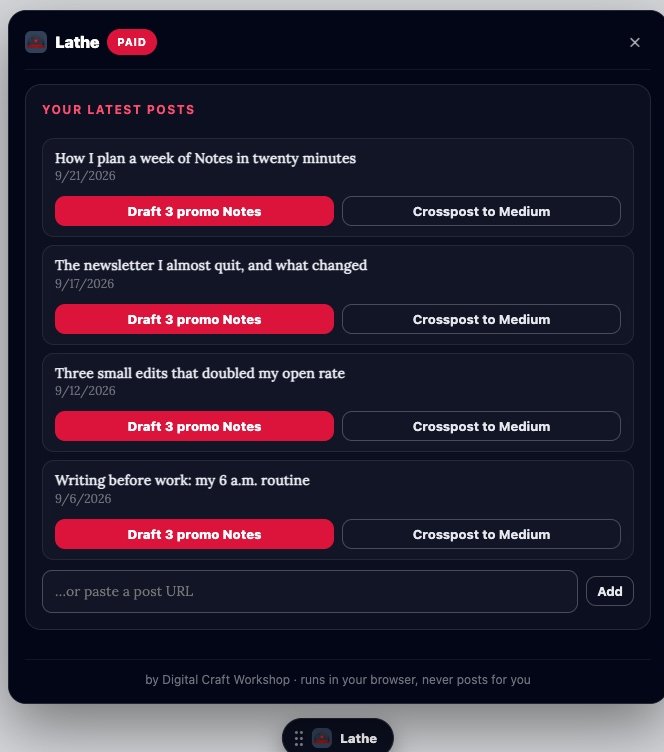
Be early in the weekly boost thread
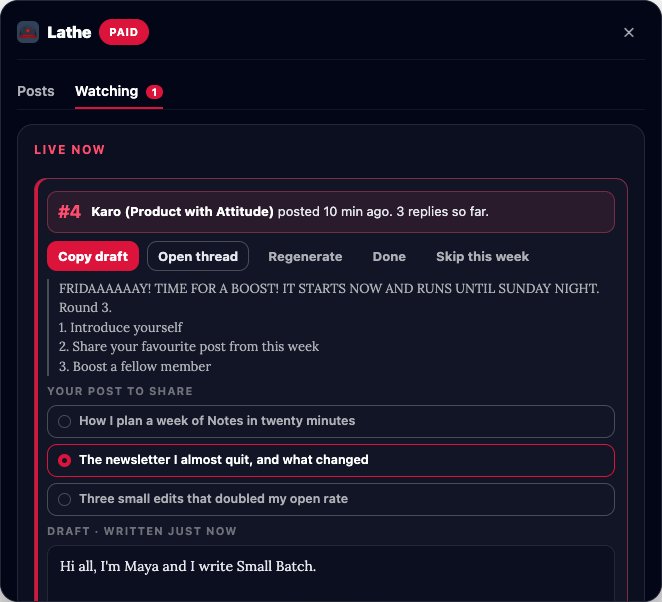
Many chats run a recurring thread, like a Friday boost or a Tuesday skill swap. The first replies get the most attention, but nobody posts these at a fixed hour.
Mark the thread once. Lathe learns which day it shows up, checks that chat every 5 minutes on that day and puts a count on the Lathe button when the new one is live, with your reply position. If you want, it also writes a reply draft the day before for you to copy.
PaidSmaller things that save clicks
Fills a Medium draft with your post, keeps the images and walks you through tags, the canonical link and Publish.
PaidFor publication admins. Type a name, @handle or publication in a gift email field and pick the subscriber. Lathe fills in the email.
FreeLathe never reads or stores your Substack cookies. AI keys stay in your browser and go only to the provider you choose. Privacy policy
Start free, upgrade when it earns its place
Lathe comes with your Digital Craft Workshop subscription. There is no separate Lathe subscription.
Free
Any Digital Craft Workshop subscriber, a free subscription is enough- Read / unread markers and flags in Chat
- AI Summary on every post
- Promo Notes for 5 posts a month
- Gift form autocomplete
Paid
Paid Digital Craft Workshop subscription or a lifetime license- Everything in Free
- Unlimited promo Notes
- Watched threads with optional reply drafts
- Crosspost to Medium
Questions, answered
Does Lathe post anything for me?
No. It fills Substack's composer or gives you a draft to copy. You press Post or Send yourself, every time.
Why do I need my own AI key?
Summaries, Notes and reply drafts run on your own Anthropic or OpenAI account, straight from your browser. Nothing passes through my servers and there is no markup on top. I use a key with a monthly spend limit and recommend the same.
Does it work on publications with a custom domain?
Not yet. Lathe runs on substack.com and on *.substack.com pages. A custom-domain post also opens in the substack.com reader, and the AI Summary works there.
I upgraded to paid. When does Lathe switch?
Click the Lathe icon in the Chrome toolbar. Opening the settings re-checks your plan, and Paid features turn on right away.
Which browsers does it support?
Chrome. Other Chromium browsers that install from the Chrome Web Store may work, but I only test in Chrome.
Reply to any Digital Craft Workshop email or write to daniel.rusnok@gmail.com. Read the privacy policy.